 Flag It First
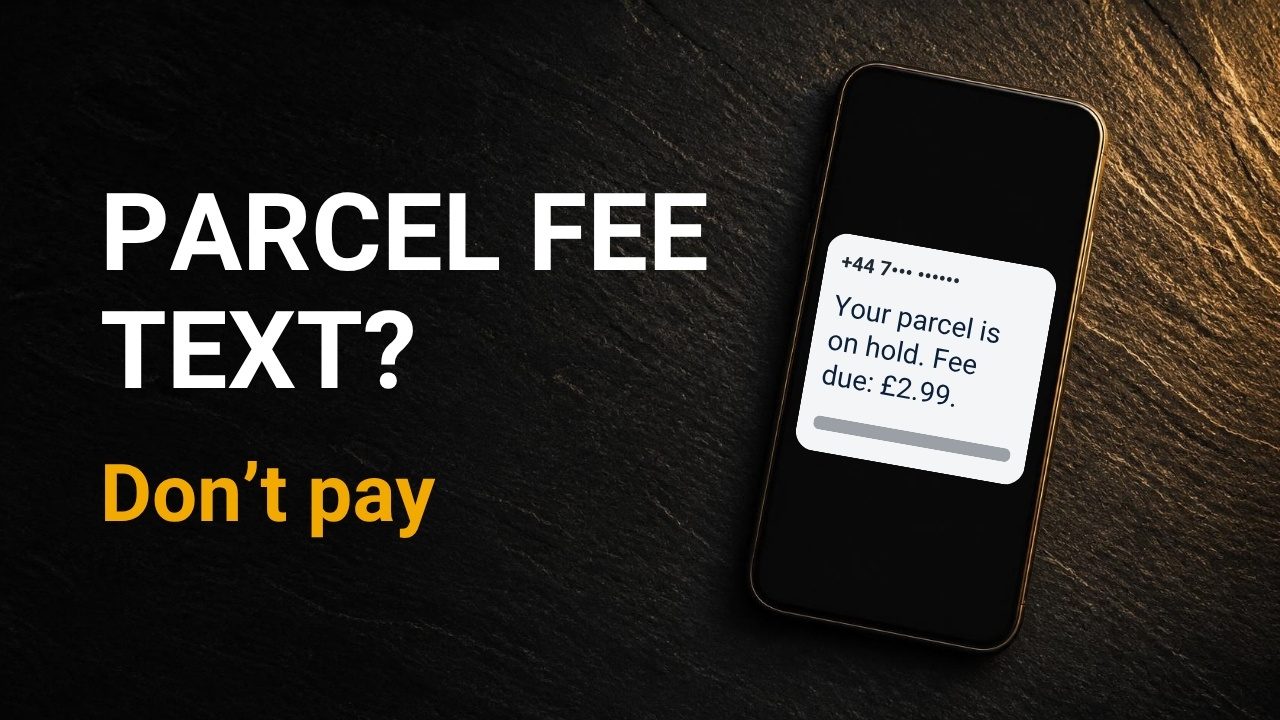
Got a text about a parcel fee? Do this right now
Video · 6:13 · published 19 Oct 2026 · sources checked October 2026
Playing this video loads YouTube, which may set cookies. Watch on YouTube instead.
Quick answer
- Didn't tap: forward the text to 7726 (free), then delete it.
- Tapped but typed nothing: the NCSC says it's unlikely you need to do more. Stay alert to emails and account notifications.
- Entered card details: call your bank on 159 straight away, and cancel the card in your online banking.
- Report it: reportfraud.police.uk or 0300 123 2040. In Scotland, Police Scotland on 101.
The text
“How did they know I’m expecting a parcel?” They didn’t. Ofcom says four in ten UK mobile users reported a suspicious message in just three months. So lots of us get these texts, and lots of us are waiting for parcels. When the timing lines up, it feels personal. That’s why it works.
Here’s how it usually runs. A text says your parcel needs a fee. The link opens a page that looks official. It asks for your name, address and card details. These texts are built to catch careful people.
Five red flags
1. A tiny fee. A UK report in September 2026 quoted £2.99, small enough that you don’t think twice.
2. A deadline. Evri flags “act quickly” in its own scam examples. Urgency is there to stop you checking.
3. An odd link. A web address can contain Royal Mail’s name without belonging to Royal Mail.
4. It’s vague. No shop name, no item. Just “your parcel”.
5. A random mobile number. Evri says its texts will “ALWAYS be from ‘Evri’”, not from a stranger’s number.
Why the fee is so small
The fee isn’t the point. Your card details are. A reported pattern: you pay on the fake page, and later a caller says they’re from your bank’s fraud team. They may know details you typed in. They’ll ask you to move money, share a code or allow remote access. Hang up and call your bank on 159. 159 can’t be spoofed or impersonated.
What real looks like
Royal Mail’s own words: for underpaid postage it leaves “a grey Fee To Pay card”, and “We would not request payment by email or text.”
The exception: for customs fees, Royal Mail sometimes texts or emails, with a link to its Fee to Pay site. A grey card may follow a couple of days later. Royal Mail also says it won’t phone you asking for payment.
The safe habit: never tap the link. Type royalmail.com yourself and enter the reference from your card.
Evri is just as clear. Its texts “will NEVER ask you to reschedule a delivery” or “ask for payment to do so”. They “will only ever send a tracking link” and “will NEVER prompt you to install any apps”.
Three situations: find yours
A: You didn’t tap. Forward the text to 7726. It’s free. On iPhone, press and hold the message, tap More, then the arrow. On Android, press and hold, tap the three dots, then Forward. Then delete it and block the number.
B: You tapped, but typed nothing. The NCSC says it’s “unlikely you need to take further action”. Stay alert to emails and account notifications. If you typed a password, change it anywhere you reuse it.
C: You entered card details. This happens to careful people. Act quickly: call your bank on 159. It covers more than 99% of UK current accounts. If you bank online, cancel the card there too. Then report it to Report Fraud at reportfraud.police.uk or on 0300 123 2040. In Scotland, call Police Scotland on 101. And expect a call from your “bank”: hang up and call back on 159.
Stop the next one
On Android, Google Messages has spam protection, on by default on devices that support it: Messages settings → Protection and safety → Spam protection.
On iPhone, look for Screen Unknown Senders: Settings → Apps → Messages → Unknown Senders. It sorts unknown senders into a separate list. It doesn’t block them, so the habit still matters.
What tools can’t do
Web protection blocks many known scam sites, but it can’t catch every brand-new one, and it can’t undo card details you’ve already typed. Free options already exist: Chrome’s Safe Browsing Enhanced protection checks sites in real time, and Safari’s Fraudulent Website Warning is in Settings → Apps → Safari.
What I do
When one lands, I don’t tap anything. I forward it free to 7726, then delete and block it. If I could teach my family one thing: if a “bank” rings after a parcel text, hang up and call 159.
Sources
- Ofcom: suspicious messages and new text-scam rules
- NCSC: report a scam text (7726)
- NCSC: what to do if you clicked a phishing link
- Stop Scams UK: 159
- GOV.UK: Report Fraud
- Report Fraud
- Royal Mail: scam protection
- Royal Mail: pay a fee
- Evri: cyber security
- Google Messages: spam protection
- Apple: unknown senders in Messages
- Apple: Safari privacy and security settings
- Google Chrome: Safe Browsing
- News report quoting a £2.99 fee (21 Sep 2026)
- MalwareTips: Royal Mail fee-to-pay scam pattern (secondary source)
Flag It First is independent and not affiliated with Royal Mail, Evri, any bank or the police. General information, not legal or financial advice. Menu names can vary by phone model and software version. On-screen phone screens in the video are mock-ups or masked screen recordings. Some background images are AI-generated, and the voiceover is AI-generated.